
Amazon's 75-Character Title Limit: What Sellers Must Do Now
Jun 14, 2026 · 9 min read · by Aashirvad Kumar
Your credits refresh every month for as long as ListingRVA AI exists. No renewals, no annual increases, nothing to cancel.
Available on select plans. No renewals, ever.
Jun 14, 2026 · 9 min read · by Aashirvad Kumar
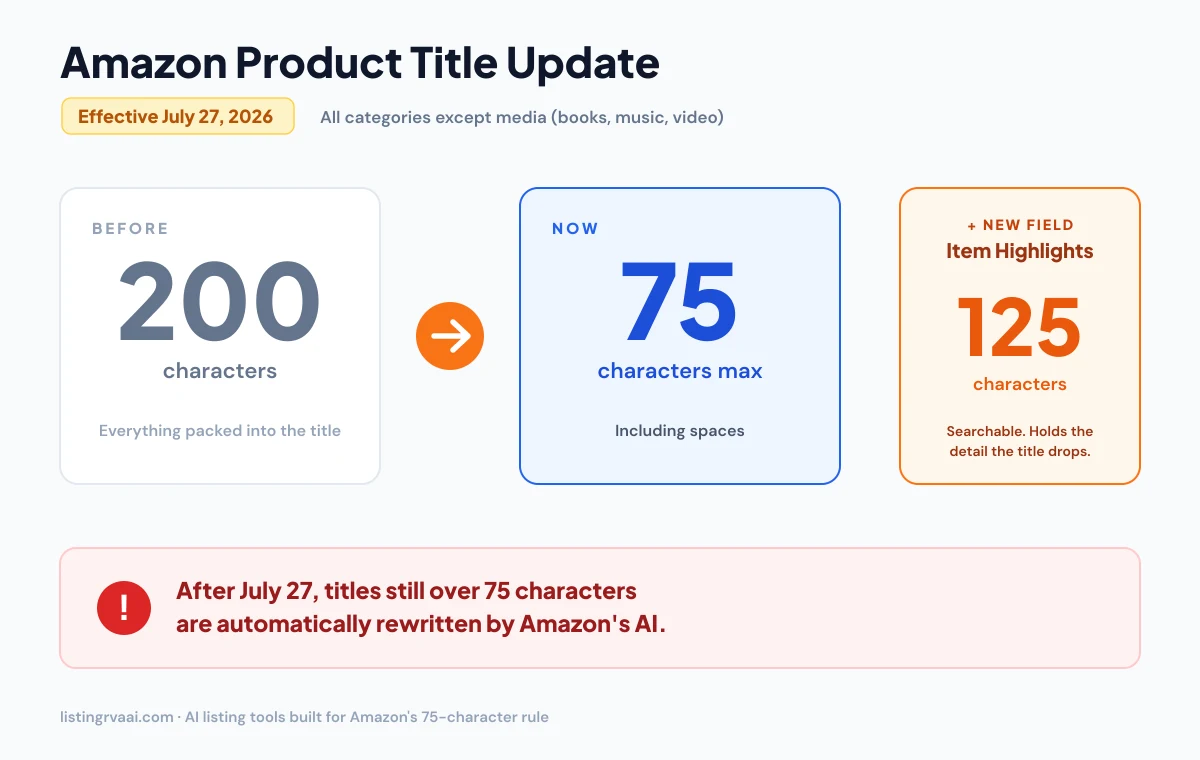
On June 10, 2026, Amazon told sellers it is changing how product titles work. Starting July 27, 2026, titles in all categories except media must be 75 characters or fewer, including spaces, down from the old ~200-character limit. Everything that used to be stuffed into the title now moves to a new, searchable Item Highlights field of up to 125 characters. The free Amazon listing quality checker scores each field, so the rewrite starts with the weakest one instead of the easiest.
The part that's making sellers nervous: after the deadline, Amazon's AI will automatically rewrite any title still over 75 characters. Your listing stays live, but you lose control of the wording unless you act first.
This guide breaks down exactly what the 75-character title limit changes, why Amazon is doing it, and the precise steps to make your catalog compliant before July 27, plus how to do it in seconds instead of one listing at a time.
In short: the title becomes a short, clean hook, and the detail that drives long-tail search moves into Item Highlights.
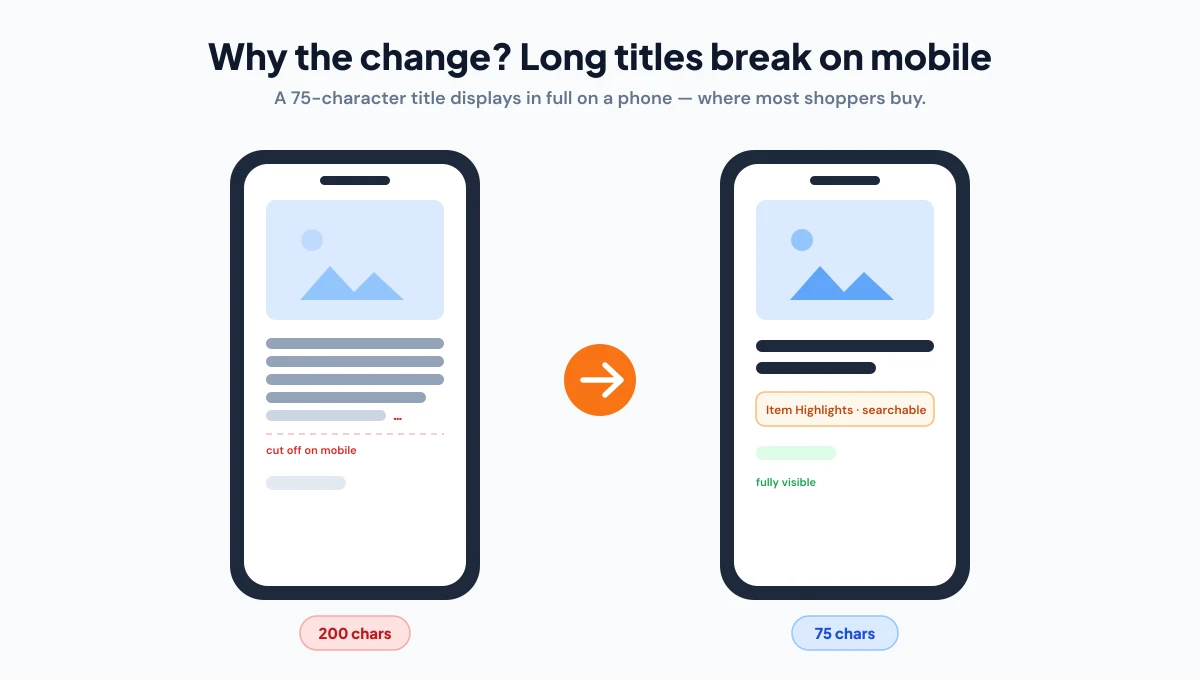
Amazon's stated reason is customer experience and discoverability. Long, keyword-stuffed titles read badly on mobile (where most shopping happens), get truncated mid-phrase, and bury the information a shopper actually needs. A 75-character title displays fully on a phone and is consistent with how other major stores present products. The trade-off, losing keyword real estate, is offset by the searchable Item Highlights field. The 75-character title limit is the blunt fix: one short hook per product, with the long-tail detail moved to a field built to hold it. How large that effect is across categories is set out in the product image conversion statistics.
The old approach (Brand + Product + every spec + every keyword) no longer fits. The new formula is ruthless prioritization:
[Brand] + [Product Name] + [one key variant or spec]
Front-load your brand and the single most important keyword, then stop. Here's a before/after:
The keywords didn't disappear, they moved to a field that's still indexed and still shown to shoppers.
Treat Item Highlights as the searchable overflow for everything the title can no longer hold. Within 125 characters:
Comma-separate short phrases. No full sentences, no promotional language ("best", "#1", "sale"), no pricing or shipping claims, the same content rules that govern titles. Don't just repeat the title; add the differentiating detail the title had to drop. Trimming to the details that differentiate is the first move when you optimize your amazon listing end to end, from the title through the backend terms.
The first mistake is cutting from the front. Sellers often keep the long spec string and drop the product noun, which leaves a title like "5G Thunder Grey 8GB/256GB" that never says what the item is. Keep the brand and product name intact and cut from the end, where the least important specs usually sit.
The second is abbreviating everything to squeeze the specs back in. A string like "SS Insul Btl 1L Blk" fits the count but reads worse than the long title did, which defeats the point of the change. The third is forgetting variants. Each child listing in a size or color family carries its own title, so check the longest child title, not just the parent, because one long variant name can leave a single child over the limit while the rest pass.
The Item Highlights field is still rolling out gradually. Many sellers are hitting error 100476, "This attribute 'Item Highlight' is currently unsupported" even with a compliant title. If you see it, your account hasn't received the field yet. Get your 75-character titles done now (that's the part that gets auto-rewritten), and add Item Highlights as soon as the field becomes available on your account.
Before July 27, 2026, the Amazon titles our listing generator wrote averaged 105 characters, the longest ran to 146, and 8 of 12 were over 75. Since the generator started enforcing the new limit, the titles it wrote have averaged 48 characters, the longest is 56, and none have gone over.
The samples are small, but the shift is clear: the old habit of packing every keyword into the title produced titles twice the new limit. Shorter titles still carried the brand and main keyword; the rest moved into Item Highlights and the bullets.
Source: ListingRVA AI listing generator logs, April to October 2026 (18 Amazon titles; totals only, no customer data).
If you have more than a handful of products, rewriting titles by hand for the 75-character title limit is slow and error-prone. AI Product Photography and listing tools like ListingRVA AI now generate fully compliant Amazon copy from your product details:
Generate 75-character titles + 125-character Item Highlights in seconds. 50 free credits, no credit card.
Start free →Yes. Amazon's official wording is "75 characters or less including spaces." Count every space, comma and hyphen toward the limit.
Only media categories, books, music, video and similar, are excluded. Every other category must comply.
Your listing stays active, but Amazon's AI will gradually replace your over-length title with its own recommendation. You keep selling, but you lose control of how your product is named. Updating the title yourself, to 75 characters, with Item Highlights, keeps you in control.
The keywords you move into Item Highlights remain searchable and indexed, so well-structured changes shouldn't cost you discoverability. As with any title change, avoid major rewrites during peak traffic periods (Prime Day, Diwali, Q4) if you can, and make the change cleanly in one pass rather than repeatedly.
Yes. An AI Listing Generator produces a ≤75-character title and a ≤125-character Item Highlights line from your product details in seconds, then you review and adjust for brand voice and accuracy. It's far faster than rewriting a catalog by hand, and it won't blow the character limits.
ListingRVA AI now works inside Claude. Connect your workspace and ask Claude to generate listing copy and publish product images to your store, without leaving your editor. See the Claude connector →
Comments
No comments yet, be the first.
Leave a comment