
How to Generate Amazon Keywords: Long-Tail, Backend & Search Terms (Free Tool Guide)
June 3, 2026 · 10 min read · by Aashirvad Kumar
Your credits refresh every month for as long as ListingRVA AI exists. No renewals, no annual increases, nothing to cancel.
Available on select plans. No renewals, ever.
June 3, 2026 · 10 min read · by Aashirvad Kumar
On Amazon, keywords are how buyers find you. The right keywords in your title, bullets, and hidden backend fields decide whether your product appears when someone searches, and whether it appears for the high-intent phrases that actually convert. The problem is that brainstorming keywords by hand is slow, and you almost always miss the long-tail and backend terms that bring in cheap, targeted sales.
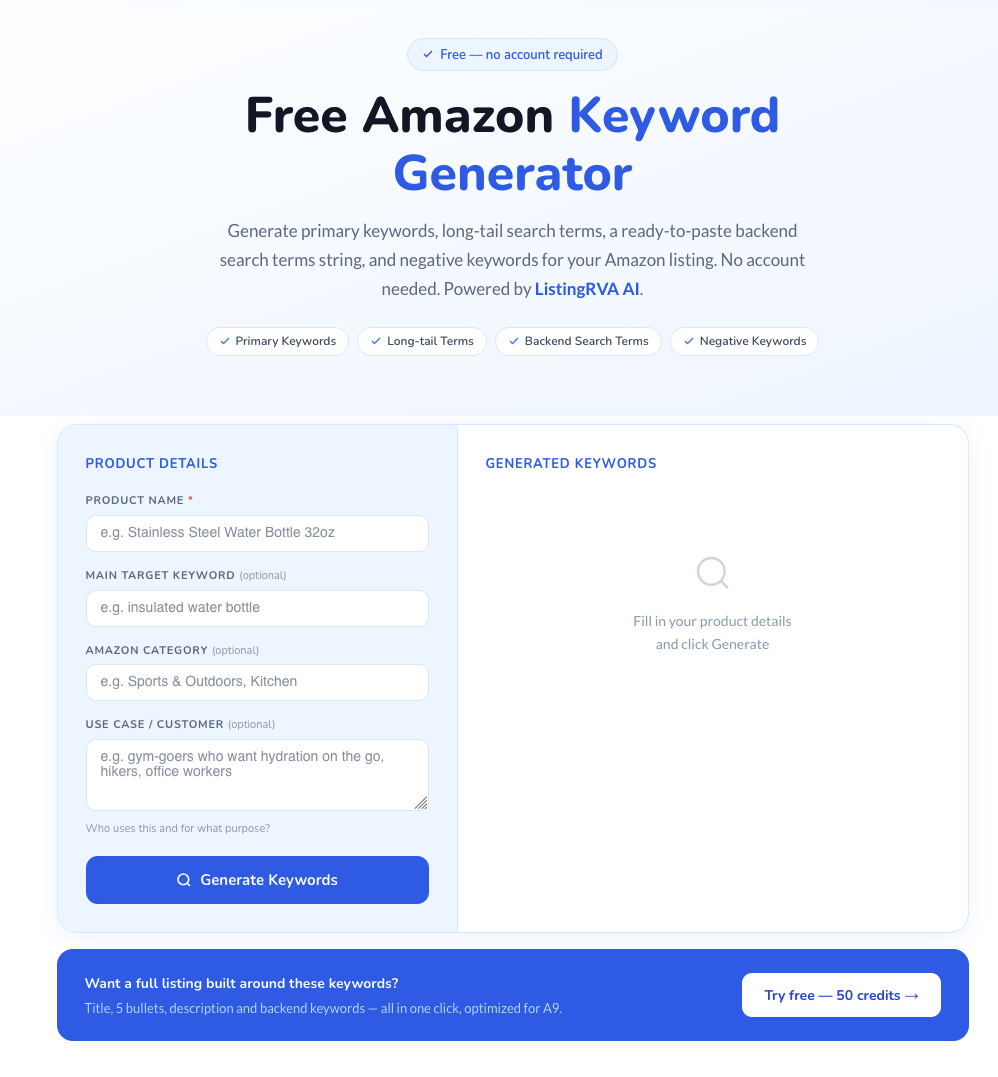
This guide shows you how to generate Amazon keywords the fast way, long-tail keywords, backend search terms, and buyer-intent phrases, using a free tool, plus how to actually place those keywords in your listing so they rank. It works for both Amazon US and Amazon India sellers. The free Amazon keyword generator does the same job in seconds if you would rather not build the list by hand.
Before generating anything, understand the three keyword types that drive Amazon visibility:
It's tempting to chase only the big, high-volume keywords, but those are also the most competitive and the most expensive to rank for. Long-tail keywords are the smarter play for most sellers:
A good generator gives you dozens of these long-tail variations at once, so you can cover many specific buyer intents that you'd never brainstorm manually.
Your Search Terms field is one of the most under-used assets on Amazon. Because buyers never see it, you can pack it with the keywords that don't fit your visible copy:
Backend rules to follow: don't repeat words already in your title (Amazon indexes those once anyway), skip commas, don't use competitor brand names, and stay within the ~250-byte limit. Use an Amazon backend keywords tool to pull these synonyms and variants automatically instead of guessing them one by one.
Amazon India sellers have an extra layer to consider. Indian buyers search in a blend of English and Hindi, use local product names, and often include regional context. A free keyword tool for Amazon India should surface:
The generator works the same way for the India marketplace, describe your product and it returns India-relevant long-tail and backend terms you can use across your Amazon.in listing.
A generator gives you more phrases than you should use, so the next step is cutting. Run every phrase through one test: if a shopper typed this exact search and landed on your listing, would they be glad they did? "Insulated water bottle 1 litre for gym" passes for a one-litre insulated bottle. "Water bottle with straw" fails if yours has a screw cap. Irrelevant traffic clicks, does not buy, and drags down the conversion signal you are trying to build.
Delete three kinds of term outright: features your product does not have, sizes or variants you do not sell, and any competitor brand names. What remains is your working list. Knowing how to generate Amazon keywords matters less than this cut, because a short, accurate list placed well beats a long one stuffed into every field.
Generating keywords is half the job, placement is the other half. Once you have your list:
For the full placement framework, see our Amazon listing optimization playbook and the ecommerce listing copy SEO guide. And if you'd rather generate the entire listing, title, bullets, and description, around these keywords automatically, see how to generate Amazon listings with AI.
Enter your product name or description into an Amazon search terms generator, and it returns primary keywords, long-tail variations, and backend search-term suggestions. Use the primaries in your title, the long-tail in bullets and description, and the rest in your backend Search Terms field.
Yes. ListingRVA AI's Amazon Keyword Generator is free to use with no login required, enter a product and get a complete keyword list including long-tail and backend terms in seconds.
Backend keywords (also called Search Terms) are hidden keywords you add in Seller Central. Buyers never see them, but Amazon's search engine indexes them. They're ideal for synonyms, misspellings, and regional variants. Amazon allows roughly 250 bytes, don't repeat words from your title, skip commas, and avoid competitor brand names.
Yes. Long-tail keywords have lower competition and higher purchase intent, so they're often the most cost-effective way for small and mid-size sellers to rank and convert without a large ad budget.
Yes, the generator surfaces India-relevant long-tail and backend terms, including English/Hinglish variants and local product names that Amazon.in buyers search for.
Free tool, no account needed
Amazon Keyword Generator
Generate primary, long-tail, and backend Amazon keywords in seconds, free, no login. Part of ListingRVA AI's free tools.
Generate keyword-rich titles, bullets, descriptions, and product images from one photo, 20+ image styles, 7-marketplace publishing. 50 free credits.
Start free →ListingRVA AI now works inside Claude. Connect your workspace and ask Claude to generate listing copy and publish product images to your store, without leaving your editor. See the Claude connector →
Comments
No comments yet, be the first.
Leave a comment